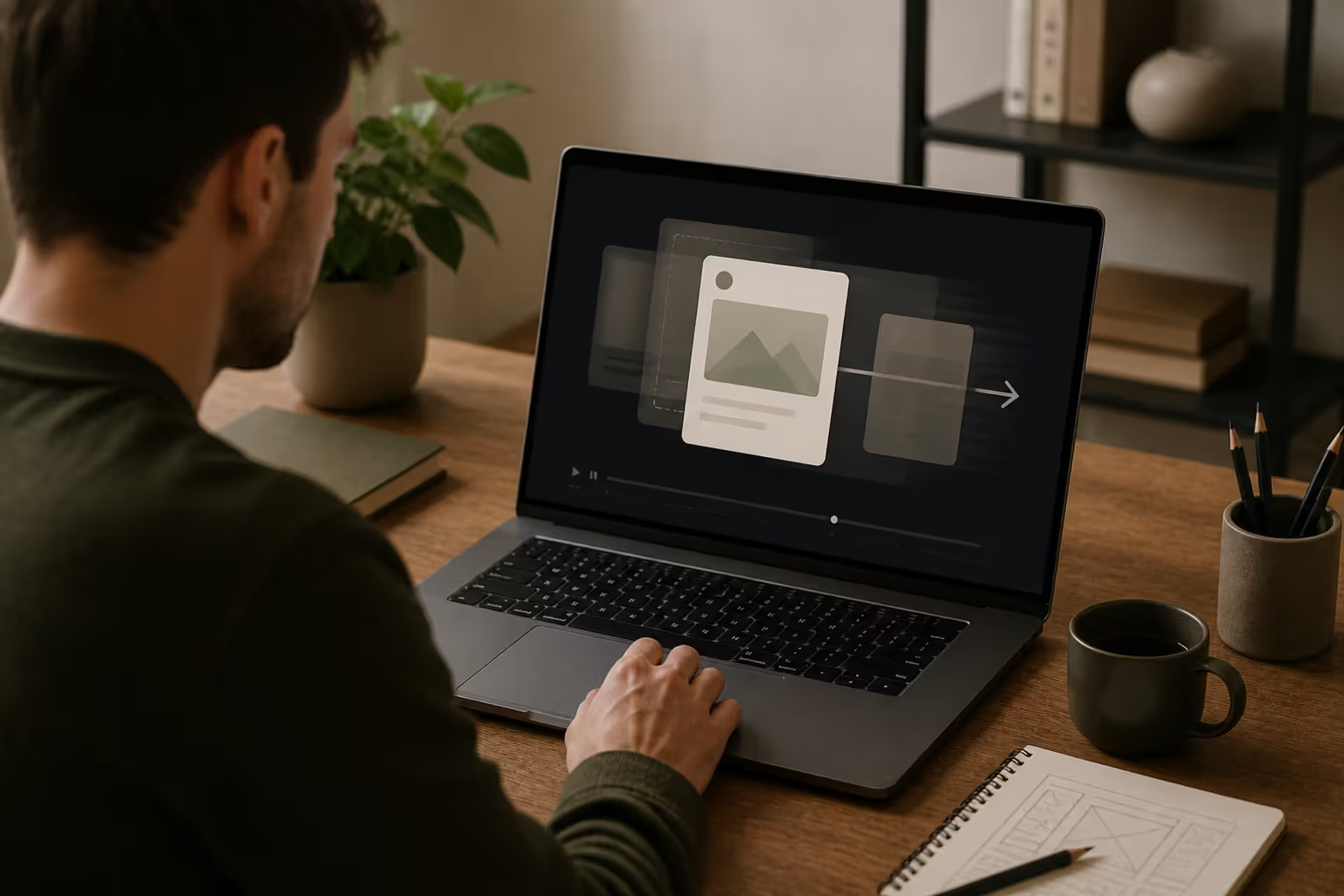
Motion design brings static visual elements to life through purposeful movement. Unlike traditional graphic design that exists in a fixed state, motion design adds the dimension of time, creating dynamic experiences that guide viewers through information, evoke emotion, and enhance understanding.
At its core, motion design combines graphic design principles with animation techniques to communicate messages more effectively than static imagery alone. When you see a logo that smoothly transforms during a company rebrand announcement, interface elements that gracefully slide into view as you scroll, or data visualizations that build themselves piece by piece—you're experiencing motion design.
The discipline has become essential in modern visual communication because human attention gravitates naturally toward movement. Our brains process moving imagery 60,000 times faster than text, making motion design a powerful tool for brands, educators, and storytellers who need to capture attention in crowded digital spaces.
Motion in visual communication serves multiple functions simultaneously. It establishes hierarchy by drawing eyes to specific elements in sequence. It provides feedback in user interfaces, confirming actions and reducing uncertainty. It creates narrative flow, transforming disconnected pieces of information into coherent stories. Companies that implement thoughtful motion design in their digital products report higher engagement rates and improved user comprehension compared to static alternatives.
The rise of social media, streaming platforms, and app-based experiences has accelerated demand for motion designers. Every platform competes for attention, and movement has become the currency of visibility. A static Instagram post gets scrolled past; an animated one stops thumbs mid-swipe.
Author: Marcus Ellery;
Source: crafterholic.com
Core Principles That Make Motion Design Work
Effective motion design rests on foundational principles of animation design borrowed from traditional animation but adapted for digital contexts. These motion graphics principles determine whether movement feels natural and purposeful or jarring and arbitrary.
Disney animators codified twelve principles of animation in the 1980s, but motion designers typically focus on a core subset most relevant to digital work: timing, spacing, easing, anticipation, and follow-through. Mastering these motion design fundamentals separates amateur work from professional execution.
Timing and Spacing in Animation
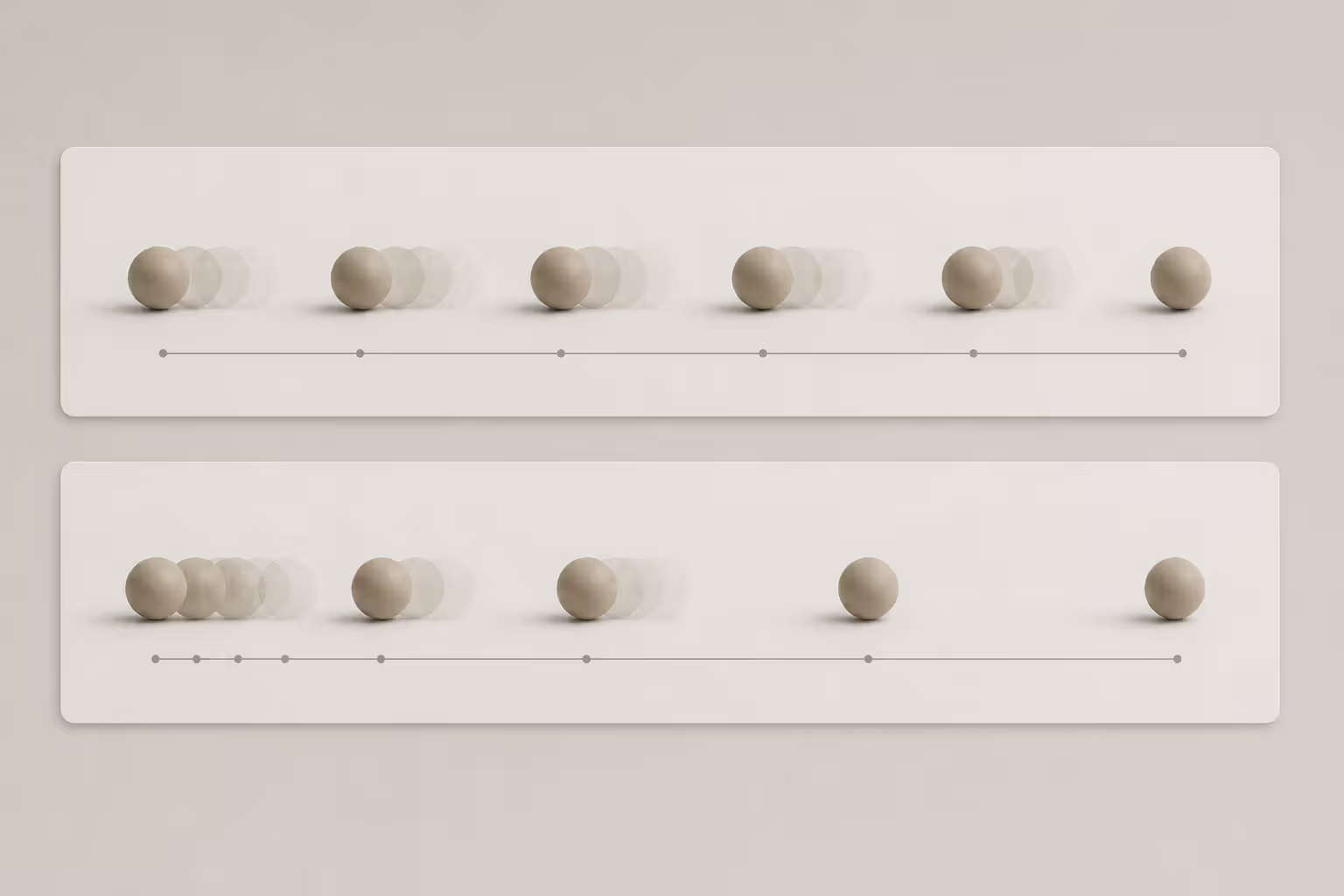
Timing refers to how many frames an action occupies, while spacing describes the distribution of movement across those frames. Together, they control the speed and rhythm of animation.
Quick timing creates energy and urgency. A notification badge that pops into view in six frames feels immediate and demands attention. Slower timing conveys weight, importance, or elegance. A modal window that takes thirty frames to settle into place feels substantial and considered.
Spacing determines whether movement appears mechanical or organic. Equal spacing between frames creates robotic, linear motion—useful for technical diagrams but rarely for interface elements meant to feel responsive. Unequal spacing, where elements move faster in the middle of an action and slower at the beginning and end, mimics how objects move in the physical world.
A common rule of thumb: interface animations should complete between 200-500 milliseconds. Faster feels instantaneous but may not register consciously. Slower starts to feel laggy and frustrates users expecting immediate feedback.
Author: Marcus Ellery;
Source: crafterholic.com
Easing and Natural Movement
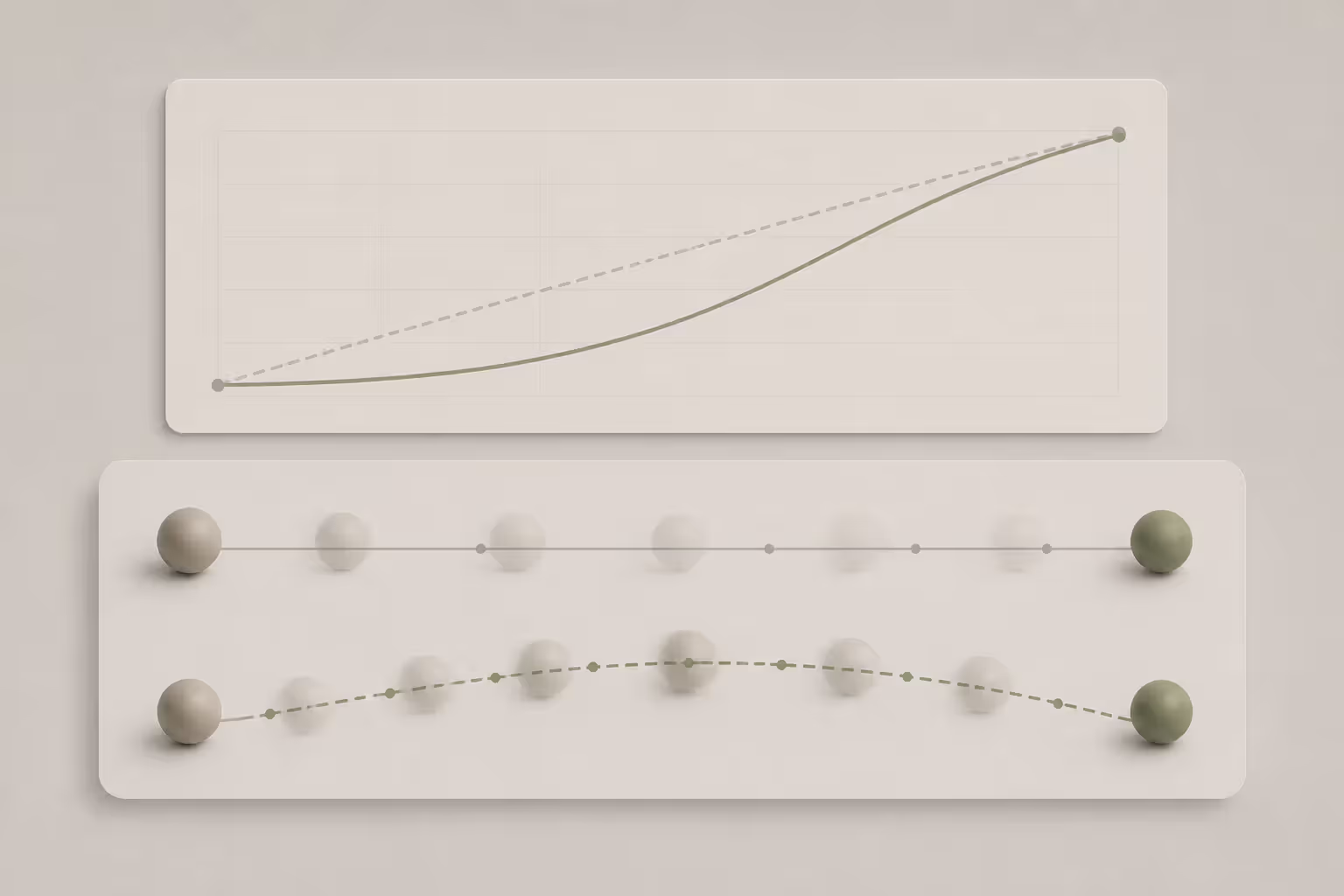
Easing functions control acceleration and deceleration, creating natural movement that respects physics. Linear easing maintains constant speed—almost never the right choice. Ease-in starts slowly and accelerates. Ease-out starts quickly and decelerates. Ease-in-out does both.
Most interface animations benefit from ease-out curves. When you tap a button and it responds, the quick start signals immediate responsiveness while the gentle deceleration feels controlled rather than abrupt. Material Design uses a custom easing curve called "fast out, slow in" that emphasizes this pattern.
More sophisticated easing includes spring physics and elastic curves. A modal that bounces slightly when it appears feels playful and alive. A menu that overshoots its final position then settles back creates satisfying physicality. These techniques work well for consumer apps prioritizing personality, less well for enterprise software prioritizing efficiency.
The mistake beginners make: applying the same easing to every element. In reality, lighter objects should move faster than heavy ones, and different interface elements should have distinct motion signatures that reflect their function and importance.
Types of Motion Design You Should Know
Motion design encompasses several distinct categories, each serving different communication goals.
Kinetic typography animates text to emphasize meaning, create rhythm, or establish mood. Words might scale up to stress importance, letters might scatter and reassemble to suggest chaos then order, or entire paragraphs might transition on and off screen in choreographed sequences. Kinetic typography basics involve matching movement style to message—aggressive movements for bold statements, gentle fades for somber content. Film title sequences frequently showcase sophisticated kinetic typography, as do lyric videos and quote-based social content.
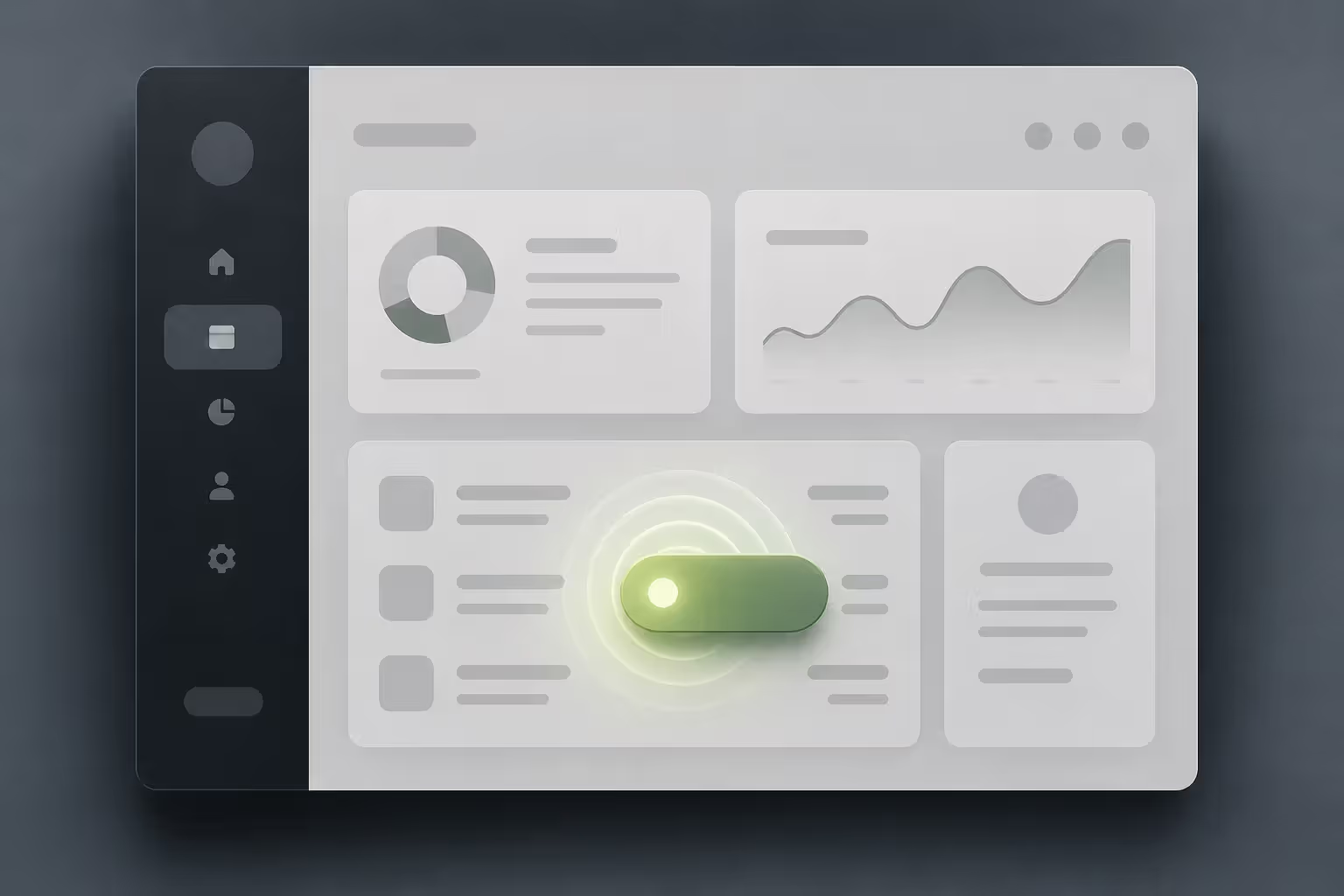
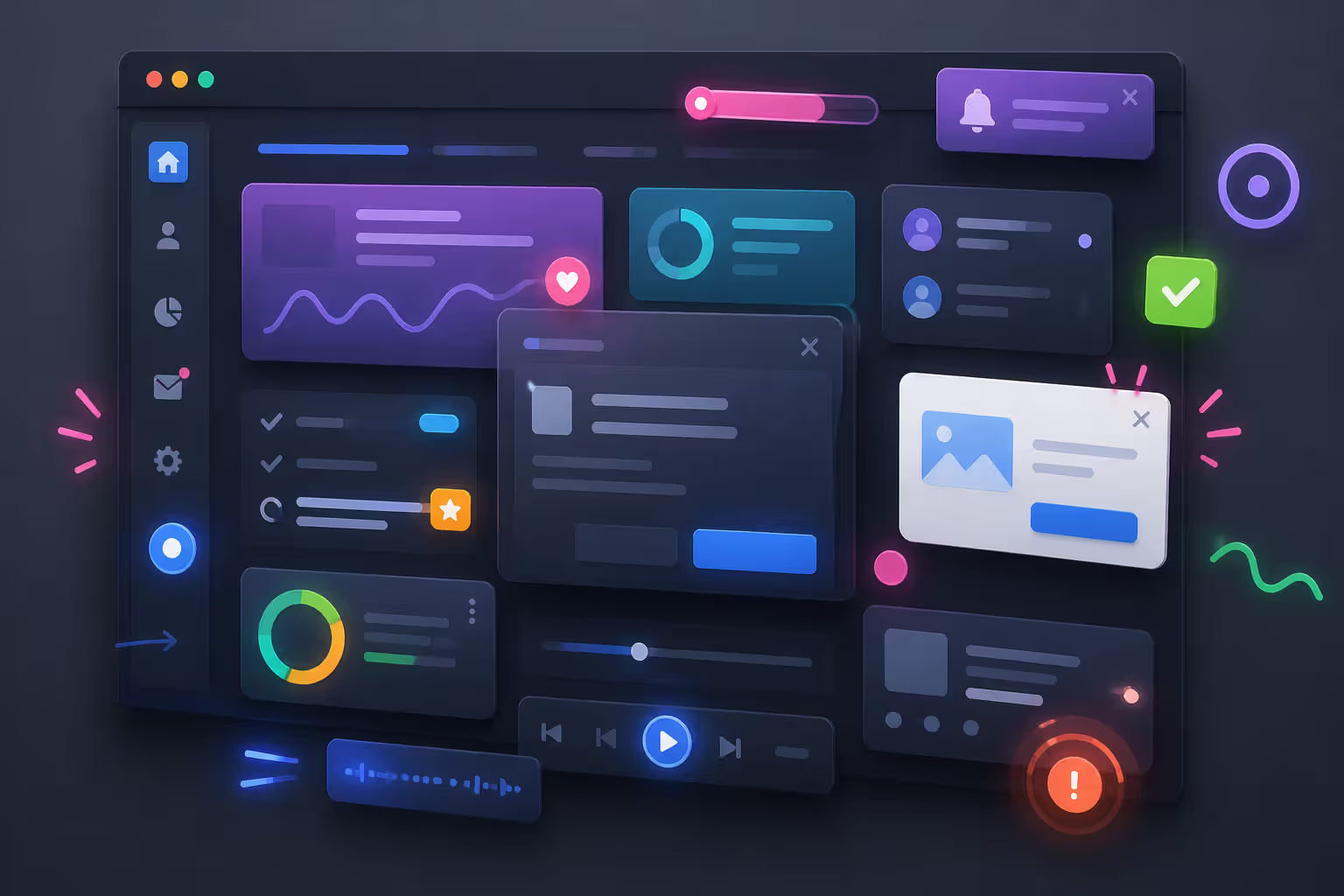
Animated UI design makes digital interfaces responsive and intuitive. Button states that respond to hovers, loading indicators that reduce perceived wait time, page transitions that maintain spatial orientation, and micro-interactions that confirm user actions all fall under this category. Animated UI design differs from other motion design types by prioritizing function over expression. The best interface animations are nearly invisible—users notice the improved experience without consciously registering the motion causing it.
Explainer videos use motion graphics to break down complex topics into digestible visual narratives. These typically combine illustrated characters or abstract shapes, kinetic typography, and voiceover to teach concepts, demonstrate products, or simplify processes. The motion graphics overview format works because it can visualize abstract ideas—showing data flowing through systems, metaphors materializing as graphics, or step-by-step processes unfolding spatially.
Logo animations bring brand marks to life for video content, app launches, or broadcast media. A well-designed logo animation reinforces brand personality in three to five seconds. Tech companies often favor geometric, precise movements suggesting innovation. Organic brands might use flowing, natural motion. Luxury brands typically employ slow, deliberate timing conveying exclusivity.
Transitions and reveals connect content segments or unveil information progressively. Slide transitions, wipes, morphs, and masks all serve to maintain visual continuity while changing what's displayed. Strategic reveals build suspense or control information flow—showing a problem before its solution, or revealing data points sequentially to prevent overwhelm.
Author: Marcus Ellery;
Source: crafterholic.com
Motion Graphics vs Motion Design vs Animation
These terms overlap significantly and are often used interchangeably, creating confusion for newcomers. The distinctions matter more for understanding project scope than for rigid categorization.
Category
Definition
Primary Use Cases
Common Tools
Typical Deliverables
Skill Focus
Motion Graphics
Animated graphic design elements, typically abstract or text-based
Broadcast graphics, title sequences, data visualization, social media content
After Effects, Cinema 4D, Blender
Video files, social clips, broadcast packages
Design, composition, typography, timing
Motion Design
Broader discipline encompassing all purposeful movement in digital experiences
UI prototypes, web animations, app experiences, videos
Design thinking, user experience, interaction patterns
Traditional Animation
Frame-by-frame creation of illustrated or 3D characters and environments
Entertainment, character-driven stories, games, feature films
Toon Boom, Maya, Blender, hand-drawn
Animated films, series, game cinematics
Drawing, character acting, storytelling, 3D modeling
Motion graphics typically refers to graphic design in motion—abstract shapes, typography, and design elements animated for specific purposes. Motion design encompasses a wider territory including interface animation and interactive experiences. Traditional animation focuses on character performance and narrative storytelling.
In practice, professionals often work across these categories. A motion designer might create motion graphics for a brand video, design animated UI for an app, and dabble in character animation for an explainer. The tools overlap, the principles remain consistent, and the boundaries blur in actual projects.
How Movement Functions as a Design Element
Movement as a design element operates on multiple levels simultaneously, serving functional, aesthetic, and psychological purposes.
Directing attention represents motion's most obvious function. In any composition with both static and moving elements, eyes track to the movement first. Interface designers exploit this by animating the element users should notice—a new message indicator, a call-to-action button, or a critical error. The challenge lies in restraint; if everything moves, nothing stands out.
Establishing hierarchy through temporal design concepts means controlling not just what moves, but when and how. Primary content might animate in first and largest. Secondary information follows with smaller, quicker movements. Tertiary details fade in last. This choreography guides users through information in intended order without requiring conscious thought.
Providing feedback reduces uncertainty in interactive systems. When users tap a button and it responds with movement—a subtle scale change, a color shift, a ripple effect—they receive immediate confirmation that their action registered. Absence of this feedback creates doubt: did that click work? Should I tap again? Motion fills the gap between action and result.
Creating emotional resonance happens through motion quality and character. Bouncy, elastic movements feel playful and approachable. Slow, deliberate animations convey luxury and consideration. Sharp, quick motions suggest efficiency and precision. The same content delivered with different motion styles produces different emotional responses.
Maintaining spatial continuity helps users maintain mental models of interface geography. When a card expands to fill the screen, users understand they've zoomed into that element rather than navigated somewhere new. When a menu slides in from the right, users know they can reverse that motion to dismiss it. Motion reveals spatial relationships that static transitions obscure.
The trade-off designers constantly navigate: motion adds cognitive load even as it improves comprehension. Too much movement exhausts and distracts. Too little feels static and unresponsive. Professional motion designers develop intuition for this balance through iteration and user testing.
Good motion design is never just movement for the sake of movement. Every transition, every easing curve, and every animated detail should guide attention, clarify meaning, or strengthen emotion. When motion feels effortless to the viewer, that’s usually the result of the most deliberate design decisions.
— Nathan Cole
Getting Started With Motion Design Fundamentals
Learning motion design requires combining design sense with technical skills and animation principles. The path varies based on your starting point, but certain steps benefit everyone.
Software selection depends on your focus area. After Effects remains the industry standard for motion graphics and explainer videos, offering the deepest toolset and largest community. Figma and Principle serve UI/UX-focused designers needing to prototype interface animations. Lottie enables lightweight animations for web and mobile. Blender provides free 3D capabilities. Beginners often start with After Effects due to abundant tutorials and transferable skills.
Don't wait to own every tool before starting. Pick one application and build competency before expanding. A motion designer proficient in After Effects can learn Cinema 4D faster than someone dabbling in five programs simultaneously.
Structured learning beats random tutorial consumption. Follow a curriculum that builds skills progressively rather than jumping between advanced techniques you're not ready to implement. School of Motion, Motion Design School, and Skillshare offer structured paths. Free YouTube channels like Ben Marriott and Workbench provide excellent instruction but require self-discipline to follow systematically.
Practice exercises accelerate learning more than passive watching. Recreate animations you admire, even simple ones. Animate a ball bouncing with proper spacing and easing. Make text fade in five different ways. Design a button with three distinct hover states. These boring exercises build muscle memory and internalize principles.
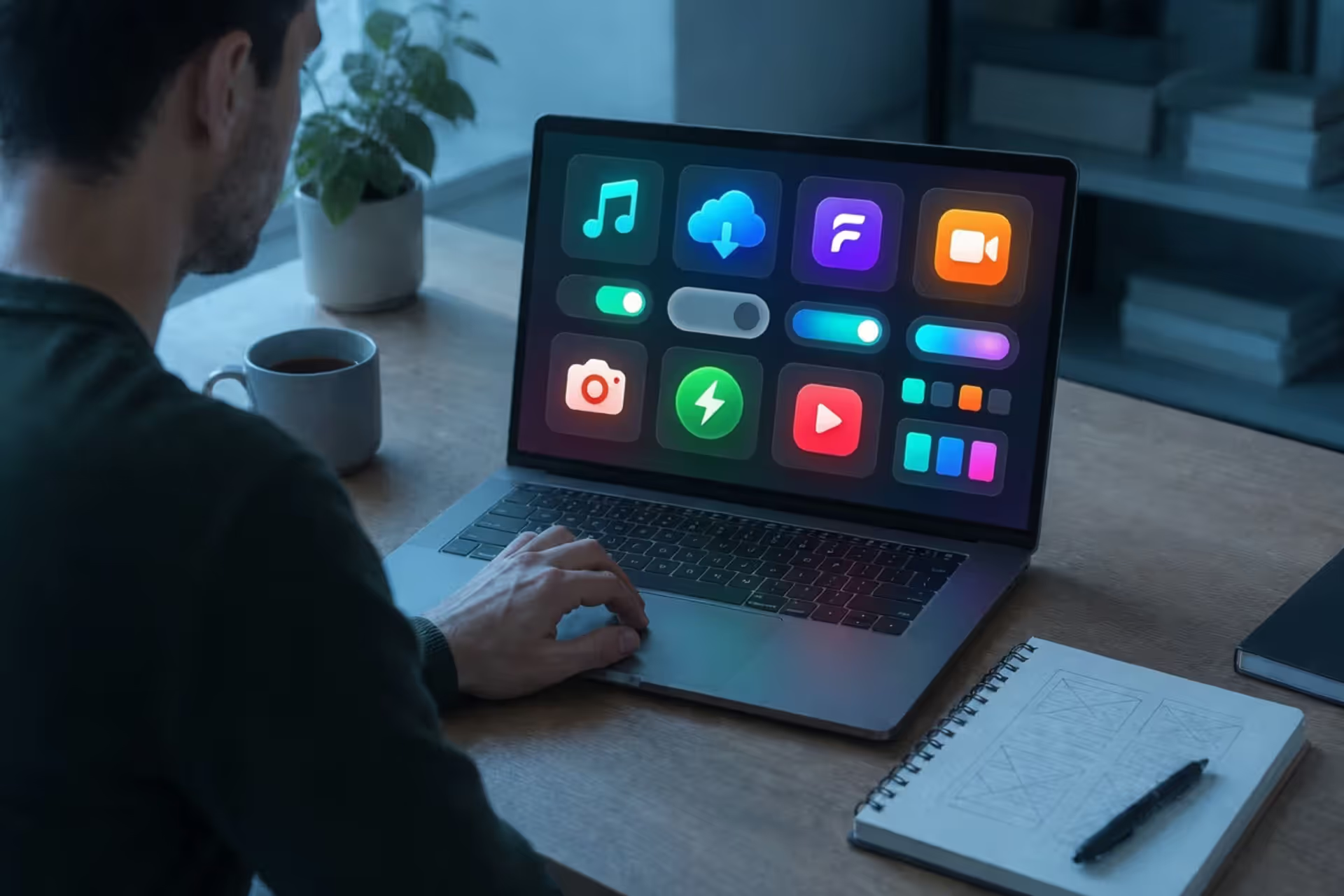
Building basic projects cements learning. Create a five-second logo animation for a fictional company. Design an animated icon set. Make a fifteen-second explainer for a simple concept. Real projects force you to solve problems tutorials don't cover—timing multiple elements, choosing appropriate easing, knowing when to stop adding.
Studying motion critically trains your eye. Watch animations frame-by-frame using playback controls. Notice timing choices. Identify easing curves. Ask why designers made specific decisions. The motion design community shares breakdowns generously—Motion Corpse, Wine After Coffee, and Motion Design School regularly deconstruct professional work.
Expect six months of consistent practice before producing work you'd show professionally. Reaching advanced proficiency takes years, but basic competency arrives faster than traditional illustration or 3D modeling.
Common Mistakes in Motion Design and How to Avoid Them
Beginners make predictable mistakes that undermine otherwise solid work. Recognizing these patterns accelerates improvement.
Overanimating afflicts enthusiastic newcomers who've just learned new techniques. Every element bounces, spins, and morphs simultaneously, creating visual chaos. Professional motion design often involves restraint—choosing the one element that should move while others remain static. Ask of every animation: does this serve the message or just showcase capability?
Ignoring purpose produces motion that looks impressive but communicates poorly. Animation should clarify, emphasize, or guide—not just decorate. Before animating anything, articulate why it needs to move and what that movement should accomplish. If you can't answer clearly, reconsider whether motion adds value.
Poor timing makes even well-designed animation feel wrong. Too fast and viewers miss important information. Too slow and they disengage before completion. Interface animations particularly suffer from sluggish timing—users tolerate 300 milliseconds but abandon interfaces that take full seconds to respond. Test timing with fresh eyes or actual users rather than trusting your judgment after hours of iteration.
Accessibility oversights exclude users with motion sensitivities. Rapid movement, excessive parallax, and constant animation can trigger vestibular disorders causing nausea and dizziness. Respect prefers-reduced-motion media queries in web design. Provide pause controls for looping animations. Consider whether your motion design works when motion is removed entirely—if not, you've made motion load-bearing rather than enhancing.
File size problems plague motion designers who forget delivery constraints. A beautiful animation that takes ten seconds to load fails regardless of quality. Optimize exports, use appropriate codecs, and consider vector formats like Lottie for web deployment. Know your target file size before designing, not after.
Author: Marcus Ellery;
Source: crafterholic.com
Inconsistent easing across a project creates disjointed experiences. Establish an easing system early—perhaps ease-out for most UI elements, linear for loading indicators, spring physics for playful moments—and apply it consistently. Random easing choices make projects feel amateur even when individual animations work well.
Neglecting sound design leaves motion feeling incomplete. Professional motion design often includes audio—subtle whooshes, clicks, or tones that reinforce visual movement. Even if delivering silent files, designing with sound in mind often improves timing and impact.
FAQ
What software do I need to start motion design?
Adobe After Effects serves most motion designers as their primary tool, particularly for motion graphics, explainers, and social content. For UI/UX-focused motion design, Figma's prototyping features or Principle provide faster workflows. Beginners can start with free trials before committing to subscriptions. Blender offers capable 3D motion graphics tools completely free. The specific software matters less than learning core principles—timing, easing, and composition transfer across all platforms.
How long does it take to learn motion design?
Basic competency requires three to six months of consistent practice—enough to create simple logo animations, kinetic typography, and UI transitions. Professional-level work typically demands one to two years of regular projects and study. Advanced specialization in areas like 3D motion graphics or complex character animation takes longer. Your timeline depends on existing design skills, daily practice time, and learning approach. Designers with strong graphic design foundations learn faster than complete beginners.
Is motion design the same as video editing?
No. Video editing arranges and cuts existing footage into sequences, focusing on pacing, storytelling, and continuity. Motion design creates new visual elements and animates them, focusing on design, movement, and communication. The confusion arises because both happen in timeline-based software and output video files. Some professionals do both, but the skills differ significantly. Video editors work with cameras, footage, and cuts; motion designers work with keyframes, composition, and animation principles.
Do I need to know how to draw to do motion design?
Not necessarily. Many motion designers work primarily with type, geometric shapes, and pre-made assets, requiring design sense rather than illustration skills. However, drawing ability helps with storyboarding, character animation, and custom illustration work. You can build a successful motion design career focusing on abstract motion graphics, UI animation, or data visualization without strong drawing skills. That said, basic sketching helps communicate ideas and plan animations before opening software.
What industries hire motion designers?
Tech companies need motion designers for product interfaces and marketing. Advertising agencies hire for commercial work and brand campaigns. Entertainment studios require motion graphics for film titles and broadcast packages. Social media agencies produce animated content constantly. Startups hire for explainer videos and product demos. Broadcasting networks need motion designers for news graphics and show packages. Many motion designers work freelance, serving clients across multiple industries simultaneously.
How much do motion designers earn in the US?
Entry-level motion designers in the US typically earn $45,000-$60,000 annually as full-time employees. Mid-level designers with three to five years experience average $65,000-$85,000. Senior motion designers and art directors command $90,000-$130,000 or more, particularly in major markets like Los Angeles, New York, or San Francisco. Freelance rates vary widely—$50-$150 per hour depending on experience, specialization, and client budgets. Specialists in high-demand areas like 3D motion graphics or UI animation often earn premium rates.
Motion design has evolved from a specialized niche to an essential component of digital communication. As interfaces become more sophisticated and attention becomes scarcer, the ability to use movement purposefully separates forgettable experiences from memorable ones.
Success in motion design requires balancing multiple disciplines—graphic design's compositional sense, animation's understanding of timing and movement, and user experience's focus on purpose and function. The technical skills matter, but the thinking behind motion choices matters more.
Start small, practice consistently, and study both principles and professional work. The motion design community shares knowledge generously through tutorials, breakdowns, and feedback. Every professional motion designer started exactly where you are now, moving their first shape across a canvas and discovering how time transforms static design into dynamic communication.
The discipline will continue evolving as technology enables new possibilities—real-time motion graphics, AI-assisted animation, interactive experiences that blur the line between design and development. The fundamentals remain constant: purposeful movement, thoughtful timing, and designs that serve human understanding rather than technical capability.
Whether you're designing your first button animation or your hundredth explainer video, the question stays the same: does this movement make the message clearer, the experience better, the story stronger? When the answer is yes, you're doing motion design right.
Modernism transformed 20th-century art and design by rejecting historical tradition and ornament in favor of rationalism, functionalism, and industrial aesthetics. Learn about its origins in industrialization, key philosophical ideas, influence on visual culture, and lasting legacy.
Visual language uses color, shape, typography, and imagery to communicate ideas instantly. Discover how visual elements function as a communication system, how semiotics creates meaning in design, and how to apply graphic communication principles across media effectively.
Discover how mathematical proportions like the golden ratio (1.618), rule of thirds, and aspect ratios create visual balance in design. Learn practical applications, compare popular ratio systems, and avoid common mistakes when applying proportional design principles to logos, layouts, and interfaces.
Proximity gestalt describes how the brain groups nearby visual elements automatically. This guide explains the psychology behind the proximity principle, demonstrates practical spacing strategies, compares proximity with other Gestalt laws, and provides actionable best practices for designers.
The content on this website is provided for general informational and educational purposes only. It is intended to explain concepts related to digital design, visual art, color theory, art techniques, design principles, and design history.
All information on this website, including articles, guides, and examples, is presented for general educational purposes. Creative outcomes may vary depending on individual skill, tools, and practice.
This website does not provide professional design services or guarantee results, and the information presented should not be used as a substitute for formal education or professional consultation.
The website and its authors are not responsible for any errors or omissions, or for any outcomes resulting from decisions made based on the information provided on this website.